From 29 November 2026, the electronic eCoC XML Certificate of Conformity will become mandatory for manufacturers of new vehicles in categories M, N and O. However, simply generating a document compliant with the XML schema is only the first step. Find out how to correctly sign an eCoC XML file step by step, which signature format to choose, and how to avoid errors that may result in the document being rejected.
What is eCoC XML?
eCoC XML is the electronic version of a vehicle Certificate of Conformity stored in a structured XML format and compliant with Regulation (EU) 2018/858 of the European Parliament and of the Council. From 29 November 2026, the use of the electronic eCoC XML Certificate of Conformity will be mandatory for manufacturers of vehicles in categories M, N and O.
An eCoC XML document confirms that a vehicle complies with European Union type-approval requirements and contains information such as:
- the vehicle VIN,
- manufacturer details,
- type-approval number,
- date of manufacture,
- kerb weight and maximum permissible mass,
- vehicle dimensions,
- engine parameters,
- power and engine displacement,
- fuel type,
- exhaust emission level,
- electric vehicle range or fuel consumption data,
- other data required for vehicle registration.
IMPORTANT: The eCoC XML document contains the same data as the paper Certificate of Conformity, i.e. the CoC. The use of the electronic equivalent will become mandatory from 29 November only for new vehicles manufactured in accordance with EU type approval. eCoC XML does not apply to vehicles manufactured before that date.
You may also be interested in this article:
Qualified electronic seal for XML
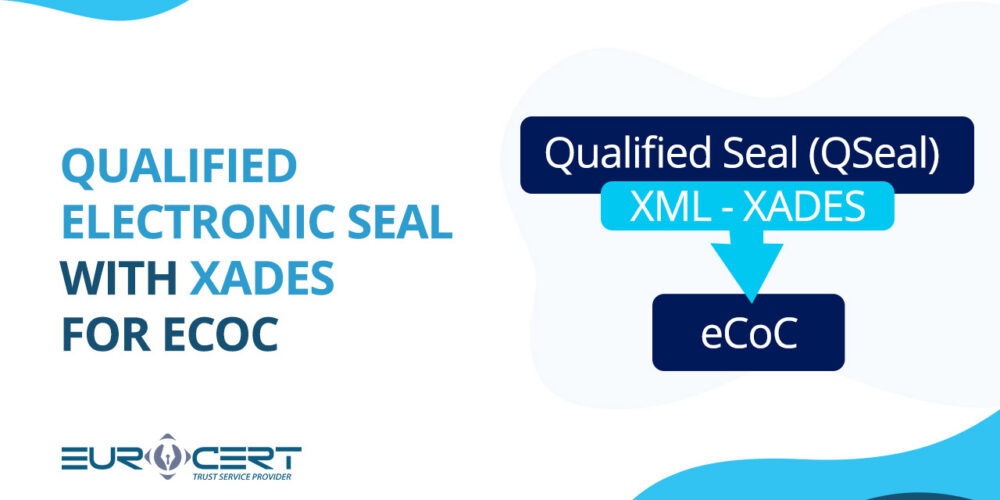
A qualified electronic seal for XML is the digital equivalent of a company seal, designed to confirm the authenticity and integrity of electronic documents while providing the equivalent of a company seal applied to a paper document. It is used by organisations rather than individuals. The tool is fully compliant with the EU eIDAS Regulation and produces legal effects throughout the European Union.
Using a qualified seal in eCoC XML documents makes it possible to confirm that the document originates from a specific manufacturer or authorised entity and protects its content against unauthorised changes.
To apply a qualified electronic seal to an eCoC XML document, the document must meet technical requirements, including being generated in accordance with the applicable XML schema (XSD) based on IVI and containing a complete set of vehicle type-approval and technical data. A document prepared in this way must pass structural and business validation. In addition, the sealing organisation, e.g. the manufacturer or one of its subordinate entities, must hold a valid qualified certificate issued by a trust service provider.
You may also be interested in this article:
How to sign an XML file for eCoC – step by step
The process of signing an electronic Certificate of Conformity (eCoC) file requires the use of a qualified electronic signature or qualified electronic seal in the XAdES standard, in accordance with EU eIDAS requirements. The document must comply with the IVI 2.0 (Inter-Vehicle Information) schema. The process is described step by step below.
- Complete the online form in the eCoC system – complete the online form by entering the vehicle data in the type-approval system, verify the data and correct any errors, then save it in XML format in accordance with the required schema. The system will automatically generate the file.
- Choose e-seal software – use the software provided by the qualified certificate provider, e.g. EuroCert, and follow the instructions provided, adding the file to the signing application.
- Set the seal format – in the software settings, select the XAdES (XML Advanced Electronic Signatures) signature format and the external signature type with the SHA-256 hash function. At this stage, select the appropriate qualified electronic seal certificate.
- Sign the document with a qualified electronic seal – use the signing software to sign the document using the PIN code for the cryptographic card or the authorisation application in the case of a cloud-based e-seal.
- Verify the correctness of the signature and document data – after applying the qualified electronic seal, verify that the seal and the stored data are correct. The software will generate a new file certified with the qualified certificate.
- Upload the XML file to the system – send the completed and signed XML file to the National Access Point (NAP), through which it will be transferred to the pan-European EUCARIS system (European Car and Driving Licence Information System).
Would you like to implement eCoC file signing or obtain more information about it?
Leave your contact details and talk to us about our solutions.
The most common errors when signing eCoC XML
Even a minor error made while signing an eCoC XML Certificate of Conformity may result in the document being rejected during validation and prevent it from being processed by the system. Therefore, make sure that both the technical and formal requirements are met. The most common errors encountered when signing eCoC XML are described briefly below.
- XML file not compliant with the XSD schema – if the XML file does not comply with the XSD schema, e.g. due to missing fields, an incorrect document structure, invalid data types or failure to adapt to the current version of the schema, it will be rejected during validation. Therefore, before submitting it to the system, make sure that the file meets all technical and formal requirements.
- Incorrect electronic signature format – the XAdES format is used for processing electronic vehicle Certificates of Conformity (eCoC). Using the wrong signature variant or omitting required timestamps may result in the document being rejected during validation. One example of such an error is using XAdES-BES without a qualified timestamp instead of an XAdES-T signature.
- Expired or revoked qualified certificate – to ensure the highest level of data authenticity and integrity, as well as secure eCoC processing, use a qualified electronic seal or qualified electronic signature with a valid qualified certificate. If the certificate expires, is revoked or is not updated, the document may be rejected. We recommend monitoring the certificate’s validity and starting the renewal procedure sufficiently early.
- Incorrect HSM configuration – vehicle manufacturers may use HSM (Hardware Security Module) devices to store the private key of the qualified electronic seal. If the signing application is incorrectly configured with the HSM module, it will not be possible to apply the qualified electronic seal. Therefore, verify the correct integration of the cryptographic infrastructure components and the availability of all required services.
- OCSP or CRL validation issues – when verifying an electronic signature, the system may check the status of the certificate using OCSP (Online Certificate Status Protocol) mechanisms or CRLs (Certificate Revocation Lists). Lack of access to validation services, network issues or outdated certificate status information may lead to errors in the verification process and make it impossible to apply a qualified electronic seal to an eCoC XML certificate.
How to sign an eCoC XML file with a qualified electronic seal? – summary
Correctly signing an eCoC XML file is essential for generating an electronic Certificate of Conformity for a vehicle entering the market. From 29 November 2026, manufacturers of vehicles with EU type approval will be required to use the digital equivalent of the CoC, so it is worth preparing for this requirement now. Start by generating the appropriate format and type of qualified electronic seal, then follow our instructions while avoiding costly errors.